
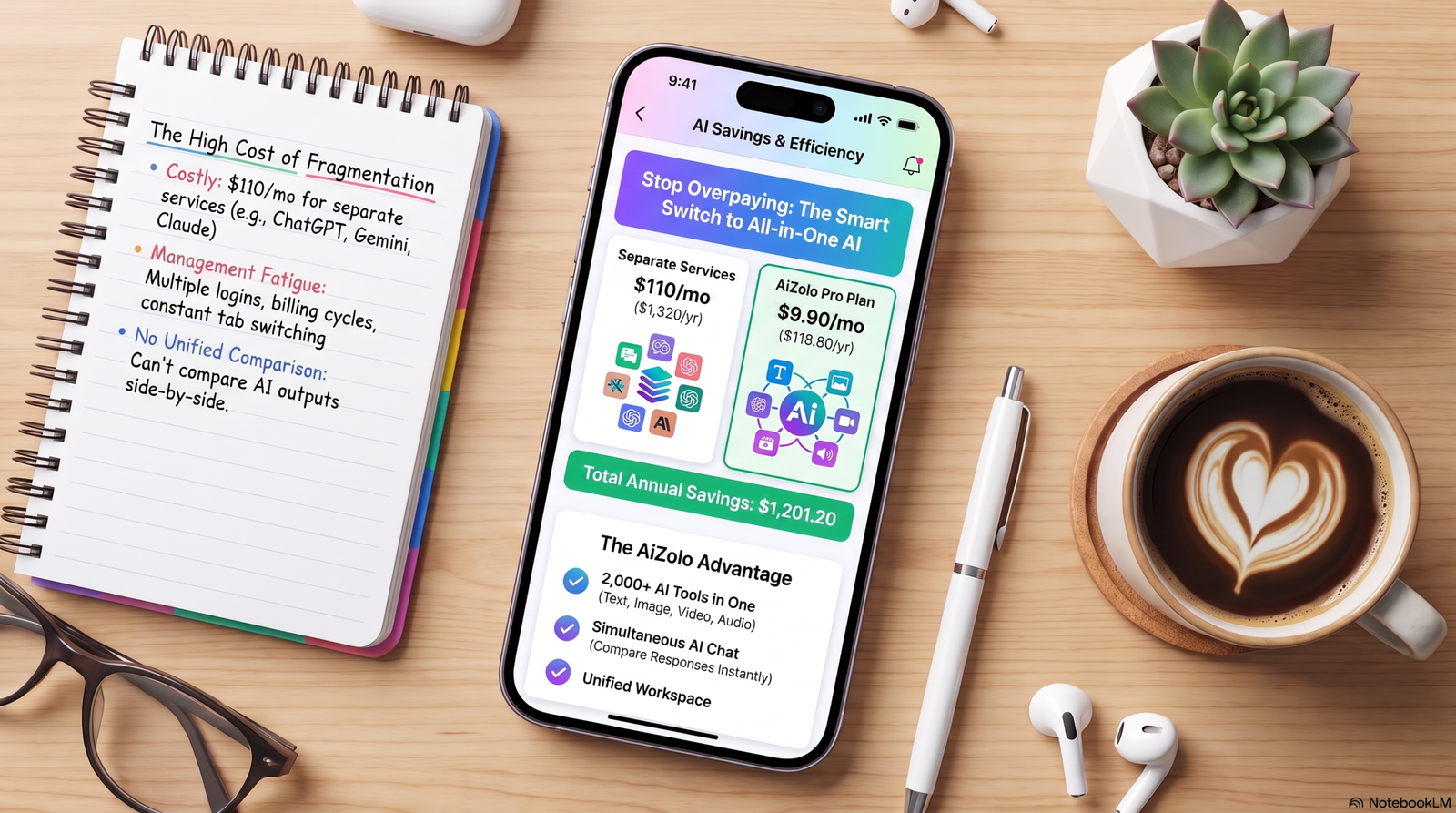
Most millennials don’t fail at budgeting because they’re bad with money. They fail because spreadsheets and 2010-era budgeting apps demand a habit — daily logging, manual categorizing, month-end reconciling — that doesn’t survive contact with a real job, a side hustle, and a phone full of one-tap checkout buttons.
AI budgeting apps flip the model. Instead of asking you to track spending, they read your bank data, learn your patterns, and tell you what’s about to go wrong before it does. For a generation juggling student debt, gig income, and rent that eats half a paycheck, that shift from “record everything” to “the app already knows” is the difference between quitting in week two and actually building savings.
This guide compares the best AI budgeting apps for millennials in 2026—including Aizolo—covering what each one’s AI actually does, what it costs, who it fits, and where it falls short.
Table of Contents
What Are AI Budgeting Apps?
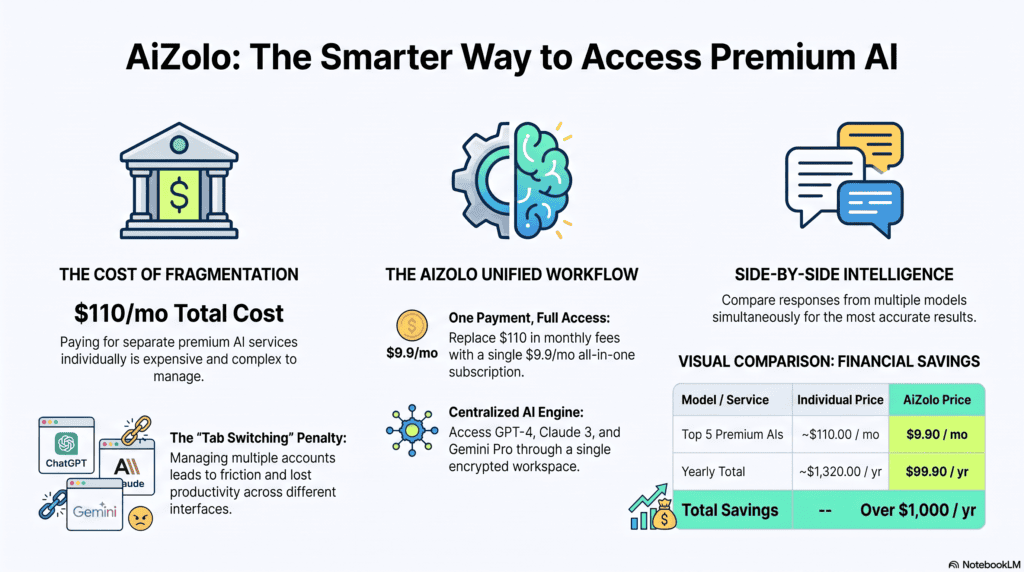
An AI budgeting app connects to your bank accounts, credit cards, and loans, then uses machine learning or a language model to do three jobs a plain tracker can’t:
- Categorize transactions automatically and improve at it as you correct mistakes
- Forecast cash flow by recognizing recurring bills, seasonal spikes, and irregular expenses before they hit
- Explain spending in plain language, either through a dashboard insight or a conversational chat interface
Not every app that says “AI-powered” earns the label. Some just run a rules-based category matcher and call it AI. The real differentiator is whether the system adapts — whether it gets better at predicting your specific financial life the longer you use it, rather than applying the same static logic to every user.
Why Millennials Need AI Budgeting Specifically
Millennials are budgeting inside a different set of constraints than the generations that built the “cash envelope” and “50/30/20” rules:
- Income is less predictable. Freelance work, contract gigs, and side income mean cash flow varies month to month, which static budgets handle poorly.
- Debt load is heavier. Average student loan balances routinely run into the tens of thousands of dollars, which makes debt-aware forecasting more valuable than a simple spending pie chart.
- Spending is fragmented across more apps. Buy-now-pay-later plans, subscription services, and split-payment apps scatter transactions across places a manual tracker never sees, but a bank-linked AI app does.
- Time is the scarcest resource. A tool that requires 20 minutes of daily upkeep loses to one that requires 20 minutes a month.
AI budgeting apps for millennials work because they remove the daily labor and replace it with pattern recognition that runs in the background.
How AI Budgeting Works
Here’s what’s actually happening under the hood in a modern AI finance app:
- Bank connection. The app links your accounts through an aggregator like Plaid or MX, which pulls transaction data in read-only mode — meaning the app can see your money but can’t move it.
- Categorization model. A machine learning model tags each transaction (groceries, rent, subscriptions) and refines its accuracy every time you correct a mislabeled purchase.
- Pattern detection. The system compares current spending against your historical baseline to flag anomalies — a utility bill that’s 40% higher than usual, for instance.
- Forecasting. By modeling recurring charges and irregular expenses (insurance premiums, annual renewals), the app projects your account balance forward and warns you before a shortfall.
- Natural language layer. Some apps add a conversational interface — built on an LLM — so you can ask “Can I afford a $300 flight this weekend?” and get a direct answer instead of a chart.
Benefits of AI Budgeting
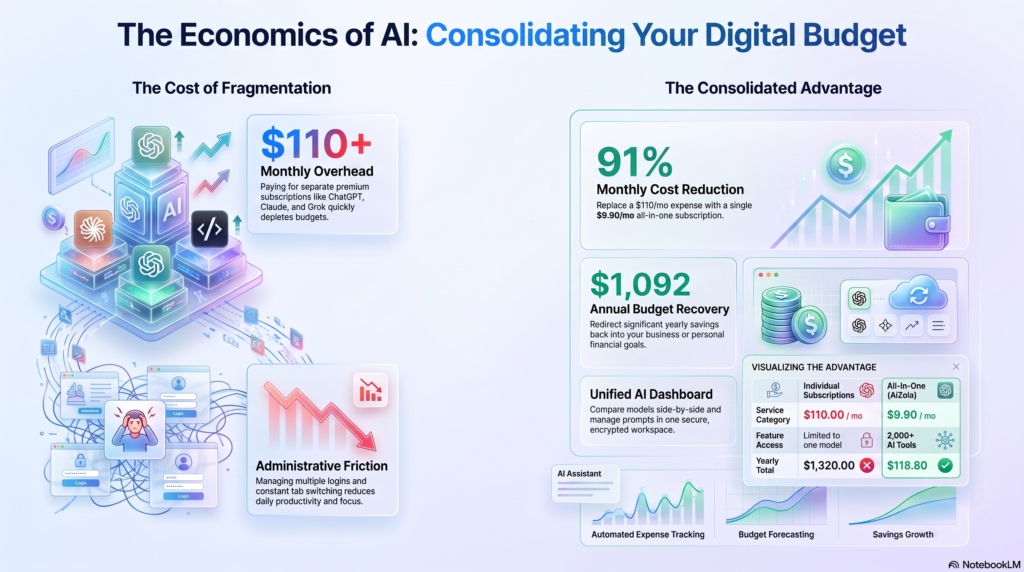
| Benefit | What It Actually Means |
|---|---|
| Less manual work | No daily logging; the app categorizes automatically |
| Earlier warnings | You find out about a shortfall weeks ahead, not after the overdraft fee |
| Behavioral insight | You learn why you overspend (stress dining, weekend Ubers), not just that you did |
| Subscription recovery | AI cross-references recurring charges you’ve forgotten about |
| Faster decisions | “Can I afford this?” gets answered in seconds, not after a spreadsheet review |
How We Evaluated These Apps
Every app in this guide was scored against six criteria, weighted toward what actually changes financial behavior rather than what looks good on a landing page:
- AI depth — whether the app genuinely predicts and adapts, or just applies static rules with an AI label
- Bank connectivity and accuracy — reliability of syncing and transaction categorization
- Pricing transparency — clear costs with no disguised upsells
- Privacy and data practices — what the company discloses about encryption, data sale, and third-party sharing
- Platform coverage — iOS, Android, and web availability
- Fit for millennial-specific needs — debt tools, irregular income handling, and couples/shared features
Claims about pricing, encryption, and integrations in this guide should always be cross-checked against each provider’s official pricing and security pages before you subscribe, since fintech pricing changes frequently.
Best AI Budgeting Apps for Millennials (2026)
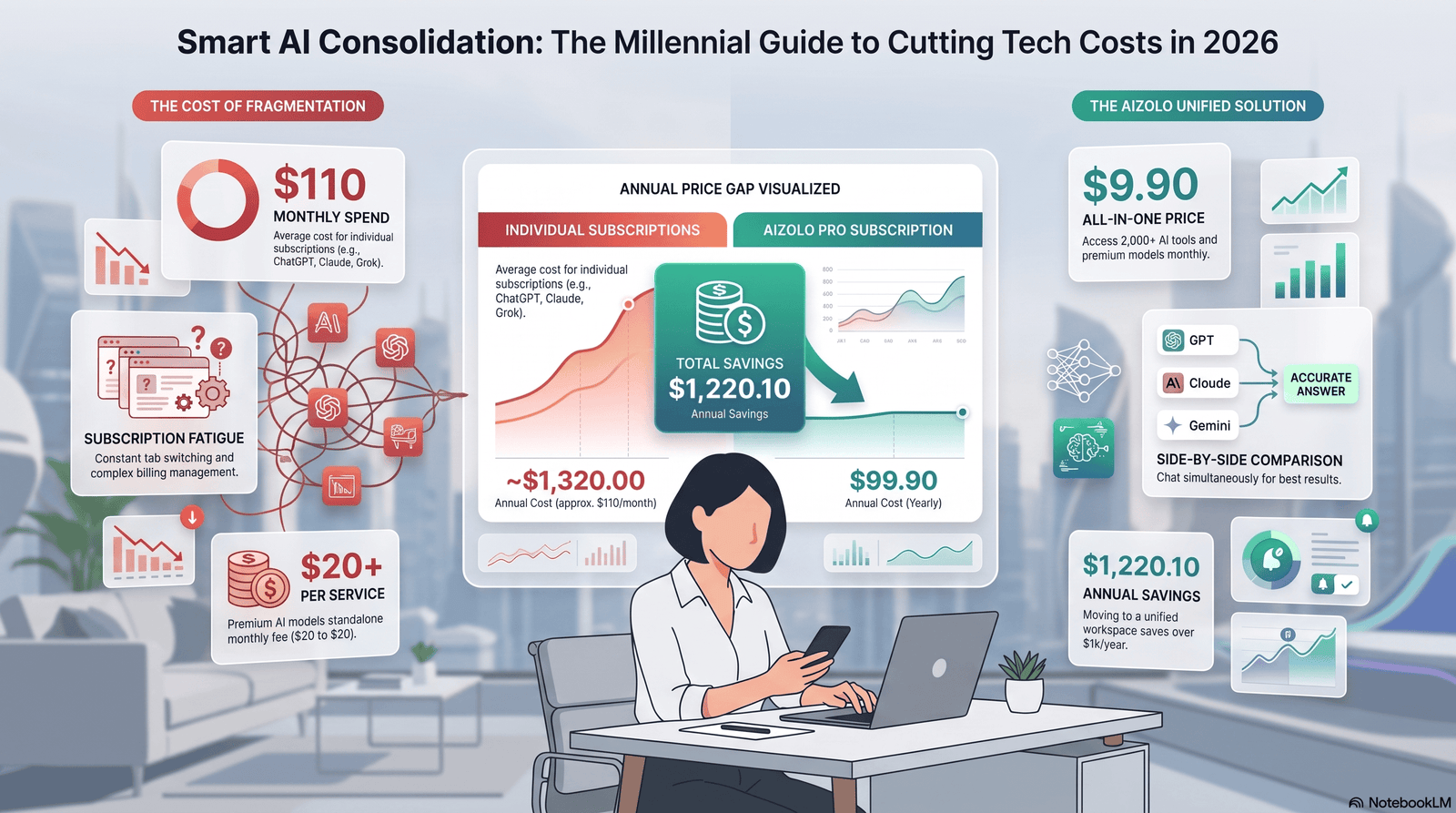
1. Monarch Money — Best Overall for Couples and Household Finance
Overview: Monarch is a broad-coverage financial dashboard that combines budgeting, net worth tracking, investment monitoring, and goal planning in one app. It added an AI Assistant for natural-language questions, AI-generated dashboard insights, and a weekly recap summarizing changes across your accounts.
Best for: Couples and households who want one shared login covering budgeting, investing, and net worth.
Pricing: $99.99/year, with a short free trial. No permanent free tier.
Supported devices: iOS, Android, web.
| Category | Details |
|---|---|
| AI features | Natural-language assistant, automated insights, weekly recap |
| Automation | Automatic categorization, recurring transaction detection |
| Budget forecasting | Cash flow projections, category-level trend detection |
| Investment support | Yes — net worth and portfolio tracking included |
| Subscription tracking | Yes, folded into recurring transactions view |
| Goal tracking | Yes, with shared goals for couples |
| Bank connectivity | Connects to a large network of financial institutions |
| Privacy | No permanent free tier means the business model is subscription revenue, not data monetization |
| Learning curve | Moderate — more setup than a single-number app, less than YNAB |
Pros
- Genuinely built for two-person households, with per-partner transaction filtering
- Combines budgeting with investing and net worth in one dashboard
- Clean design that doesn’t overwhelm new users
Cons
- No free tier at all, unlike Rocket Money or PocketGuard
- Overkill if you just want fast expense logging without financial planning
Real-world use case: A couple in their early 30s merging finances for the first time uses Monarch’s shared access to see combined spending without combining bank accounts, catching a jointly-forgotten streaming subscription within the first month.
Who shouldn’t use it: Solo users who want a single “can I spend this” number without a full planning layer — that’s a better fit for PocketGuard or Cleo.
2. Copilot Money — Best AI Depth for iPhone Users
Overview: Copilot Money is a premium, Apple-native finance app that uses machine learning to categorize transactions, track investments, and flag subscription price hikes, wrapped in one of the most polished interfaces in the category.
Best for: iPhone and Mac users who want deep AI categorization and a visually rich dashboard, and don’t need Android support.
Pricing: Roughly $13/month or around $95–97/year, with a one-month free trial through the App Store. No permanent free tier.
Supported devices: iPhone, iPad, Mac, and a limited web app.
| Category | Details |
|---|---|
| AI features | Machine learning categorization that improves from manual corrections, proactive AI assistant |
| Automation | Automatic recurring charge detection, fraud alerts |
| Budget forecasting | Spending trend analysis with future cash flow view |
| Investment support | Yes — net worth and index benchmarking |
| Subscription tracking | Yes, with price-increase alerts |
| Privacy | iOS-only design reduces cross-platform data exposure but limits couples on mixed devices |
| Learning curve | Low to moderate |
Pros
- Best-in-class interface and design polish
- AI categorization that noticeably improves with use
- Native Apple Watch and Siri shortcut support
Cons
- No Android app at all — a dealbreaker for mixed-device couples
- Premium pricing with no permanent free option
- Couples on iOS still need two separate subscriptions unless sharing one login
Real-world use case: A freelance designer who lives on their iPhone uses Copilot’s investment tracking alongside spending categorization to see, in one glance, whether a slow client month is a cash flow problem or a savings-rate problem.
Who shouldn’t use it: Android users, or budget-conscious millennials who don’t need investment tracking bundled in.
3. YNAB (You Need A Budget) — Best for Active, Zero-Based Budgeting
Overview: YNAB isn’t AI-first — its edge is a disciplined, manual “give every dollar a job” methodology. It’s included here because millennials who genuinely want behavior change, not passive tracking, still rank it among the most effective apps available, and it layers reporting and forecasting tools on top of the method.
Best for: People who want to actively reshape spending habits, not just observe them.
Pricing: Around $14.99/month or $109/year, with a 34-day free trial and a free 12-month offer for students with a valid .edu email. No permanent free tier for other users.
Supported devices: iOS, Android, web.
| Category | Details |
|---|---|
| AI features | Limited — categorization is largely manual/rule-based, not adaptive AI |
| Automation | Bank syncing, recurring bill detection |
| Budget forecasting | Envelope-based, forward-looking category tracking |
| Investment support | Not a core feature |
| Goal tracking | Yes, tied directly to the envelope system |
| Privacy | No advertising based on financial data; company states it does not sell user data |
| Learning curve | Steep at first, but high long-term payoff for engaged users |
Pros
- The strongest track record for actually changing spending behavior
- Transparent single-price model with no hidden upsells
- Long, no-card-required trial to test the method
Cons
- Requires ongoing manual engagement — not a “set and forget” tool
- No meaningful AI layer compared to Monarch, Copilot, or Cleo
- Premium price with no free tier for non-students
Real-world use case: A millennial paying down $28,000 in student loans uses YNAB’s “give every dollar a job” method to redirect every extra dollar toward principal, tracking progress with the built-in debt paydown reports.
Who shouldn’t use it: Anyone who wants a hands-off, AI-driven experience rather than active budgeting work.
4. Cleo — Best for Beginners Who Avoid Their Finances
Overview: Cleo replaces dashboards with a conversational AI character you text like a friend. It reviews spending, sends bill reminders, and — in its signature “roast mode” — delivers sarcastic feedback instead of neutral commentary, which measurably increases engagement among users who’d otherwise avoid finance apps entirely.
Best for: Beginners and younger millennials who find traditional dashboards intimidating or boring.
Pricing: Free tier includes budgeting, tracking, and the core chatbot. Cleo Plus runs about $5.99/month for cash advances and deeper insights; Cleo Builder runs about $14.99/month and adds a secured credit-building card.
Supported devices: iOS, Android.
| Category | Details |
|---|---|
| AI features | Conversational LLM-style chat, personality-driven insights |
| Automation | Auto-categorization, bill reminders, autosave transfers based on cash flow |
| Budget forecasting | Conversational, less structured than dashboard-based apps |
| Cash advance | Up to a few hundred dollars via Cleo Float on paid tiers |
| Privacy | Free tier funded partly by upsells to advance/credit products, which is worth knowing upfront |
| Learning curve | Very low — chat-based onboarding |
Pros
- Free tier is genuinely usable, not a stripped-down trial
- Conversational tone drives real engagement for users who ignore standard trackers
- Autosave feature moves small amounts into savings without manual setup
Cons
- Cash advance and credit-building features turn it into a broader financial services app, not a pure budgeting tool
- Less structured than dashboard apps for users who want detailed category-level control
- “Roast mode” humor won’t land for everyone
Real-world use case: A 24-year-old who’s opened and abandoned three budgeting apps finally sticks with Cleo because checking a chat thread feels less like a chore than opening a spreadsheet-style dashboard.
Who shouldn’t use it: Millennials who want deep investment tracking or granular category-level budgeting — Cleo’s strength is engagement, not precision.
5. Rocket Money — Best for Subscription Cleanup
Overview: Rocket Money (formerly Truebill) built its reputation on scanning transaction history for recurring charges, forgotten subscriptions, and duplicate payments — and, unlike apps that only flag the problem, it can cancel unwanted subscriptions and negotiate bills directly.
Best for: Anyone whose main financial leak is subscription creep rather than day-to-day overspending.
Pricing: Free tier is genuinely usable for tracking and subscription detection. Premium runs on a “pay what you think is fair” model, roughly $7–$14/month, billed annually. Bill negotiation carries a 35–60% success fee on your first year of savings — charged only if it actually saves you money.
Supported devices: iOS, Android, web.
| Category | Details |
|---|---|
| AI features | Pattern recognition for recurring charges, spending anomaly detection |
| Automation | In-app subscription cancellation, optional human-assisted bill negotiation |
| Budget forecasting | Basic category-based targets, less deep than Monarch or YNAB |
| Subscription tracking | Best-in-class — this is the app’s core strength |
| Privacy | Bill negotiation involves an authorized human team accessing billing details, disclosed in its terms |
| Learning curve | Low |
Pros
- Free tier is one of the strongest in the category
- Subscription cancellation actually happens in-app instead of just flagging the problem
- No-risk bill negotiation — you pay only if it works
Cons
- Budgeting features are shallow compared to a dedicated budgeting app
- In-app cancellation can be inconsistent depending on provider
- The negotiation success fee is a real cost worth calculating before opting in
Real-world use case: A remote worker discovers three forgotten streaming subscriptions and a gym membership through Rocket Money’s scan, recovering close to $60/month without changing a single spending habit.
Who shouldn’t use it: Anyone who needs a real zero-based or envelope budgeting system — Rocket Money is a spending tracker and subscription auditor first.
6. PocketGuard — Best “One Number” Simplicity
Overview: PocketGuard reduces budgeting to a single figure — “In My Pocket” — calculated by subtracting bills, savings goals, and necessities from your available income. It’s built for people who want an instant answer to “can I afford this?” without building a full budget.
Best for: Impulse spenders, freelancers with variable income, and anyone who checks their bank balance obsessively instead of budgeting proactively.
Pricing: Free tier is limited to two linked accounts and two categories. PocketGuard Plus runs about $12.99/month or $74.99/year, with a one-time lifetime option sometimes available.
Supported devices: iOS, Android.
| Category | Details |
|---|---|
| AI features | Proprietary “safe to spend” algorithm, Pace feature comparing spending rate to days remaining |
| Automation | Auto-categorization, bill tracking |
| Debt tools | Dedicated debt payoff planner supporting avalanche and snowball methods |
| Investment support | Minimal |
| Privacy | Read-only Plaid connection; 256-bit encryption |
| Learning curve | Very low |
Pros
- The single “safe to spend” number solves real spending anxiety without complex setup
- Strong, purpose-built debt payoff planner
- Straightforward pricing with no variable “pay what you want” ambiguity
Cons
- Free tier’s two-account limit is genuinely restrictive for most real households
- Trial period is short compared to competitors like YNAB
- Investment tracking and net worth features are thin
Real-world use case: A gig worker with inconsistent weekly income checks the “In My Pocket” number before every discretionary purchase instead of guessing whether a paycheck has cleared enough to cover it.
Who shouldn’t use it: Anyone managing more than two accounts who isn’t ready to pay for Plus — the free tier ceiling arrives fast.
7. Empower Personal Dashboard — Best Free Option for Investment-Heavy Users
Overview: Empower (formerly Personal Capital) is less a budgeting app and more a free financial command center. If you have a 401(k), IRA, or brokerage account alongside checking and savings, Empower is one of the only fully free tools that unifies all of it.
Best for: Millennials who care more about net worth and investment tracking than granular category-level budgeting.
Pricing: Free dashboard, including net worth tracking, cash flow monitoring, a retirement planner, and an investment fee analyzer.
Supported devices: iOS, Android, web.
| Category | Details |
|---|---|
| AI features | Automated categorization, retirement forecasting tools |
| Budgeting depth | Thin — you can watch spending happen, but can’t set hard category limits like PocketGuard or YNAB |
| Investment support | Strongest in this list — net worth, fee analysis, retirement planning |
| Privacy | Free model is supported by optional paid wealth management services, worth understanding before linking large investment accounts |
| Learning curve | Low for dashboard viewing, moderate for planning tools |
Pros
- Genuinely free, with no paywalled core features
- Best investment and retirement visibility of any app on this list
- Useful even for users who never touch the budgeting side
Cons
- Budgeting itself is passive — no hard spending limits or envelope system
- Optional wealth-management upsell calls are part of the business model
- Not built for people whose main goal is category-by-category spending control
Real-world use case: A millennial with a 401(k), a taxable brokerage account, and a checking account uses Empower’s free fee analyzer to discover their target-date fund carries a higher expense ratio than a comparable index fund, saving hundreds annually.
Who shouldn’t use it: Anyone whose primary goal is disciplined category-level spending control — Empower is a wealth dashboard first.
Feature Comparison Table
| App | Best For | Starting Price | Free Tier | AI Depth | Investment Tracking | Platforms |
|---|---|---|---|---|---|---|
| Monarch Money | Couples & households | $99.99/yr | No | High | Yes | iOS, Android, Web |
| Copilot Money | iPhone power users | ~$95–97/yr | No | High | Yes | iOS, Mac only |
| YNAB | Active zero-based budgeting | $109/yr | No (free for students) | Low | No | iOS, Android, Web |
| Cleo | Budgeting beginners | Free | Yes | Medium (chat-based) | No | iOS, Android |
| Rocket Money | Subscription cleanup | Free / ~$7–14/mo | Yes | Medium | Minimal | iOS, Android, Web |
| PocketGuard | Simple safe-to-spend view | Free / $74.99/yr | Yes (limited) | Medium | Minimal | iOS, Android |
| Empower | Free investment tracking | Free | Yes | Medium | Highest on this list | iOS, Android, Web |
Pricing Comparison: Free vs. Paid
| App | Free Tier Usability | Paid Tier Value |
|---|---|---|
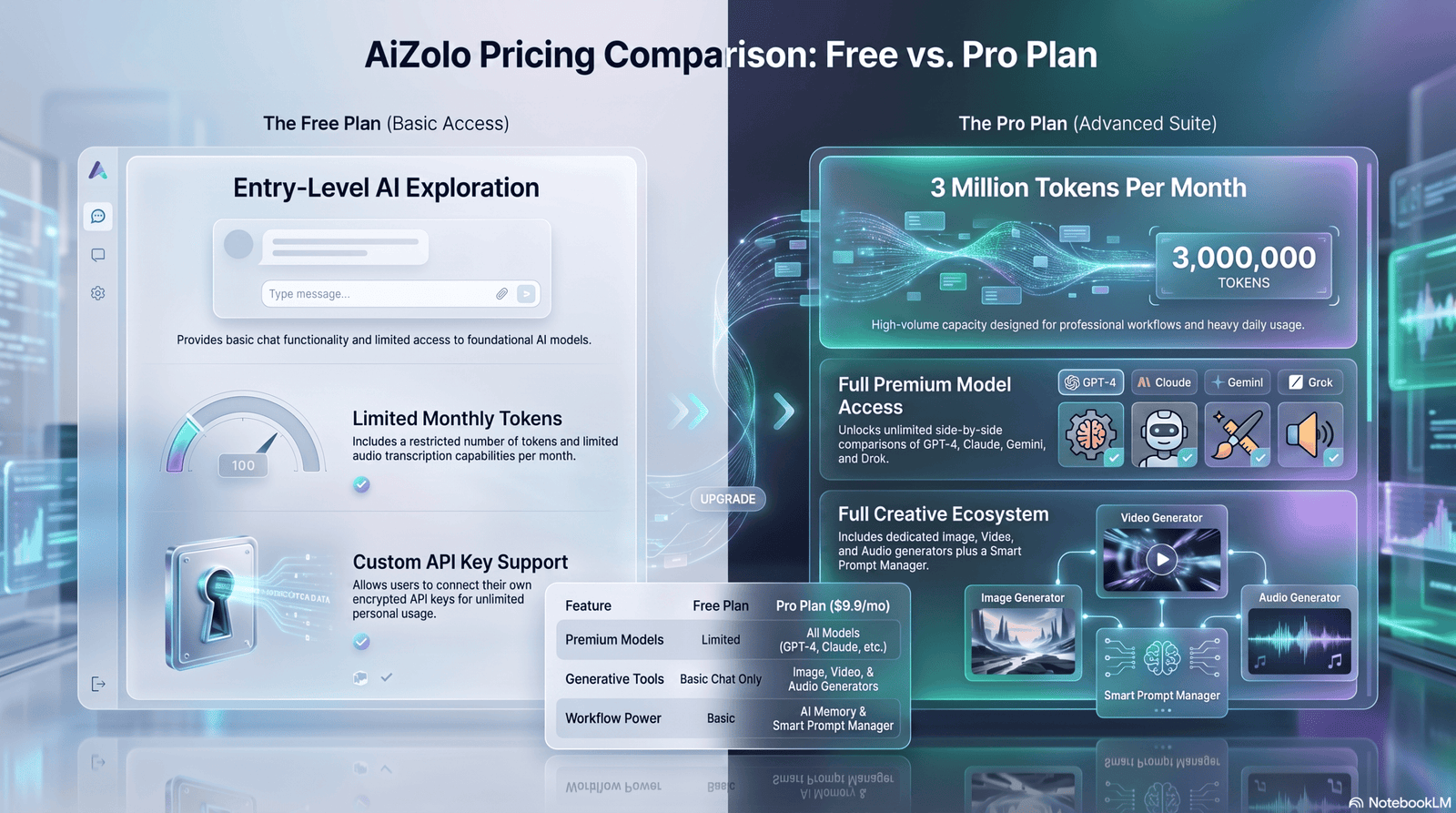
| Cleo | Strong — core chatbot and tracking included | Adds cash advance and credit-building card |
| Rocket Money | Strong — tracking and subscription detection included | Adds unlimited budgets, faster support, negotiation |
| PocketGuard | Weak — capped at 2 accounts, 2 categories | Removes limits, adds debt planner and Pace |
| Empower | Strong for investment tracking, weak for budgeting | No paid consumer tier; upsell is advisory services |
| Monarch, Copilot, YNAB | None | Full feature set, no tiered upsells |
Privacy Comparison
| App | Bank Connection | Notable Privacy Note |
|---|---|---|
| Monarch Money | Read-only aggregator connection | Subscription-funded, no free tier to monetize with ads |
| Copilot Money | Read-only, Apple ecosystem | iOS-only design limits cross-platform data exposure |
| YNAB | Read-only | States it does not sell financial data |
| Cleo | Read-only | Free tier partly funded by advance/credit upsells |
| Rocket Money | Read-only | Bill negotiation involves human staff accessing billing details, per its disclosed terms |
| PocketGuard | Read-only, 256-bit encryption | Free tier limits may push data-sharing-adjacent upsells |
| Empower | Read-only | Free model tied to optional wealth management outreach |
Always verify current encryption standards, data-sharing practices, and bank-connection methods on each provider’s official privacy policy before linking accounts — these details are updated more often than review articles capture.
Which App Fits Different Millennial Users

Students: Start with Cleo’s free tier or YNAB’s free student offer — both give real functionality without a subscription commitment.
Freelancers and gig workers: PocketGuard’s safe-to-spend number handles irregular income better than a rigid monthly budget.
Couples: Monarch Money’s shared-access design is purpose-built for two-login households; Cleo’s free tier works for couples not ready to pay for anything.
Families: Monarch again, for its collaboration tools and category-level visibility across multiple spenders.
Travelers: PocketGuard or Rocket Money, since both surface upcoming recurring charges (subscriptions, travel insurance) before a trip drains a shared account.
Investors: Empower for free net worth and fee visibility; Copilot or Monarch if you want investment tracking bundled with day-to-day budgeting.
Remote workers and creators with variable income: Cleo for engagement, PocketGuard for the safe-to-spend clarity, Rocket Money for keeping subscription creep in check between projects.
Privacy & Security Considerations
Before linking any bank account to a budgeting app, confirm the following on the provider’s own security documentation:
- Read-only access. Reputable apps connect through Plaid, MX, or similar aggregators in read-only mode — they can view transactions but cannot move money.
- Encryption standard. Look for confirmation of strong, current encryption (commonly cited as 256-bit) for data at rest and in transit.
- Data sale policy. Some free apps are funded by advertising or data partnerships; paid, subscription-funded apps more often state they don’t sell financial data. Read the actual privacy policy, not just marketing copy.
- Human access disclosures. Features like bill negotiation may involve real staff viewing your billing details — a legitimate practice, but one that should be clearly disclosed.
- Deletion rights. Confirm you can fully delete your data and unlink accounts, not just close the app.
For broader consumer protections around financial apps and data sharing, the Consumer Financial Protection Bureau publishes guidance worth reading before connecting sensitive accounts.
Common Mistakes When Choosing AI Budgeting Apps
- Picking based on the “AI” label alone, without checking whether the AI actually forecasts and adapts, or just applies static category rules.
- Ignoring platform limits — choosing an iOS-only app like Copilot Money when a partner or household uses Android.
- Underestimating free-tier limits, then getting frustrated when a two-account cap forces an unplanned upgrade.
- Choosing a passive tracker when you need active behavior change, or vice versa — a chatbot like Cleo won’t deliver YNAB’s structured discipline, and YNAB’s manual system won’t suit someone who wants a hands-off tool.
- Skipping the privacy policy because the onboarding flow is fast and friendly.
How to Select the Right App
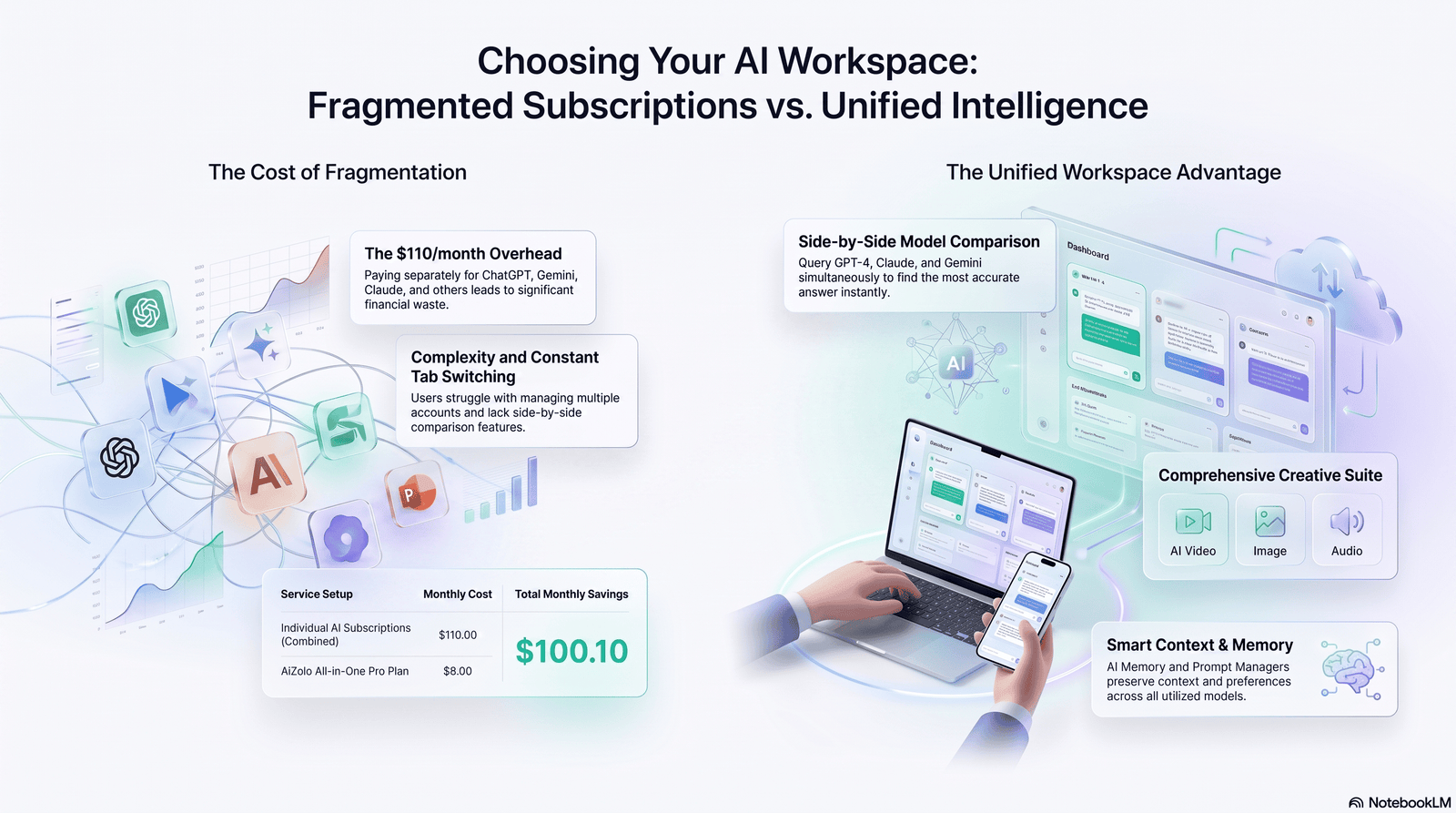
Answer these four questions before downloading anything:
- Do you want active budgeting or passive tracking? Active → YNAB. Passive → PocketGuard, Empower, or Rocket Money.
- Are you budgeting solo or with a partner? Shared households lean Monarch; solo users have more flexibility.
- What’s your primary financial problem right now? Subscription creep → Rocket Money. Overspending anxiety → PocketGuard. Avoidance → Cleo. Investment blind spots → Empower.
- What devices does your household actually use? Rule out iOS-only apps immediately if anyone in the household is on Android.
Future of AI Budgeting
Expect three shifts over the next few years: deeper natural-language financial assistants that can execute actions (not just answer questions), tighter integration between budgeting and investing so users see one unified financial picture instead of separate apps, and increased regulatory attention on how financial apps handle AI-driven data use — making the privacy policy of your chosen app more important, not less, over time.
Expert Recommendations
- If you want one app to run your whole financial life: Monarch Money.
- If you’re an iPhone user who cares about design and AI categorization accuracy: Copilot Money.
- If you’re serious about changing spending behavior, not just observing it: YNAB.
- If you’ve abandoned every budgeting app you’ve tried: Cleo.
- If your problem is subscriptions, not budgeting: Rocket Money.
- If you want the simplest possible “can I spend this” answer: PocketGuard.
- If you want free, comprehensive investment visibility: Empower.
Final Verdict
There’s no single best AI budgeting app for every millennial — there’s a best app for your specific financial personality. Couples merging finances should start with Monarch. Solo iPhone users who want polish and predictive AI should try Copilot. Anyone who’s burned out on budgeting apps entirely should give Cleo’s free tier a real month before writing off AI budgeting altogether. The right choice is the one that matches how you actually behave with money, not the one with the longest feature list.
Frequently Asked Questions
Are AI budgeting apps actually safe to link my bank account to? Reputable apps connect through established aggregators like Plaid in read-only mode, meaning they can view transactions but cannot move your money. Always confirm encryption standards and data-sharing practices in the app’s official privacy policy before linking.
What’s the difference between an AI budgeting app and a regular budgeting app? A regular app requires manual categorization and static rules. An AI budgeting app uses machine learning to categorize transactions automatically, forecast future cash flow, and improve its accuracy the longer you use it.
Do I have to pay for an AI budgeting app to get real value? No. Cleo, Rocket Money, PocketGuard, and Empower all offer usable free tiers. Paid tiers typically unlock unlimited accounts, deeper reporting, or additional features like debt planning.
Which AI budgeting app is best for couples? Monarch Money is purpose-built for shared households, with per-partner transaction filtering and collaborative goal tracking under one subscription.
Is Copilot Money available on Android? No. Copilot Money is iOS, iPad, and Mac only, with a limited web app. Android users should consider Monarch, Rocket Money, or PocketGuard instead.
Can AI budgeting apps help pay off student loan debt faster? Indirectly, yes. Apps like YNAB and PocketGuard include tools that direct extra cash toward debt payoff, and forecasting features help you find money you didn’t know was available to redirect toward payments.
What is Cleo’s “roast mode”? It’s an optional tone setting where Cleo’s AI chatbot delivers sarcastic, humorous feedback on spending decisions instead of neutral commentary — designed to increase engagement for users who find standard finance apps boring.
How does Rocket Money’s bill negotiation work, and is it risky? Rocket Money’s team contacts your service providers to try to lower recurring bills. It only charges a fee — typically 35 to 60 percent of the first year’s savings — if the negotiation succeeds, so there’s no upfront financial risk.
What does PocketGuard’s “In My Pocket” number actually calculate? It subtracts upcoming bills, savings goal contributions, and necessities from your available income to show a single safe-to-spend figure, updated as new transactions come in.
Is Empower really free, or is there a catch? The dashboard, including net worth tracking, cash flow monitoring, and the investment fee analyzer, is genuinely free. The company also offers optional paid wealth management services, which is how the free tier is supported.
Which app has the deepest AI, not just AI branding? Based on natural-language understanding, predictive forecasting, and adaptive categorization, Monarch Money and Copilot Money currently offer the deepest AI layers in this category, followed closely by Cleo’s conversational model.
Do AI budgeting apps work well with irregular freelance income? PocketGuard and Cleo tend to handle income variability better than strict envelope systems like YNAB, since their forecasting adjusts to whatever balance is actually available rather than requiring a fixed monthly plan.
Can I use more than one AI budgeting app at the same time? Yes, and some millennials do — for example, pairing Empower for free investment tracking with PocketGuard or Rocket Money for day-to-day spending. Just be mindful of how many apps hold read access to your accounts.
How often should I re-evaluate which budgeting app I’m using? Once a year is reasonable, or any time your financial situation changes significantly — a new job, a move in with a partner, or taking on debt are all good triggers to reassess whether your current app still fits.
Do these apps sell my financial data to advertisers? Practices vary by provider. Subscription-funded apps like YNAB and Monarch generally state they don’t sell financial data, since their revenue doesn’t depend on it. Always check the specific, current privacy policy of any app before linking accounts, since practices can change.
Author Bio
Author: Jeevesh Tripathi Email: jeevesh@aizolo.com
Research Methodology: This guide was compiled by reviewing each app’s official pricing pages, privacy policies, and security documentation, cross-referenced against independent reporting and user feedback, as of July 2026. Feature claims were checked against provider-published documentation rather than third-party marketing copy where possible.
Sources Consulted: Official app websites and pricing pages, official privacy and security policy documents, independent personal-finance reporting, and publicly available consumer research on subscription spending and financial stress.
Content Review Process: Pricing and feature details were verified against the most recent publicly available information at the time of writing. Because fintech pricing and features change frequently, readers should confirm current details on each provider’s official website before subscribing.
Fact-Check Statement: This article strives for factual accuracy on pricing, features, and privacy practices. Where a specific figure could not be independently confirmed at publication time, it is presented as an approximate range rather than an exact claim.
Last Updated: July 13, 2026
